

Neutopia
Super-charge Neutopia’s course creation platform.
Project overview
About Neutopia
Neutopia is a community-focused platform designed to enhance social learning and digital engagement. The organisation aims to transform education by making it more accessible and collaborative, serving a range of educators, entrepreneurs, and forward-thinking organizations.
Project description
Industry-led UX/UI project completed through Harness Projects, as part of the UX Career Launcher program, for Neutopia.
This project aimed to equip both novice and experienced learning designers with the tools to quickly and easily create high-quality online courses within the Neutopia platform, supported by AI where appropriate. I was tasked with designing user flows for key pain points within the Learning Management System (LMS).
Project outcomes and results
A concept the client can confidently take forward. The proposed AI-assisted workflow reduces complexity while maintaining user control through familiar, low-friction interactions, supporting designers of all experience levels from outline generation through to lesson content.
This creates a strong base for future testing, development and rollout.
The client responded favourably, highlighting the solution’s alignment with user needs and business goals.
MY ROLE
UX Designer
DONE WITH
Harness Projects in partnership with Neutopia
For this project I followed a five-step design thinking process.
In the research phase, this involved interviewing the stakeholder to understand the client goals and target audiences, conducting competitor analysis and user interviews to understand pain points and opportunities, defining the goals and problems and creating user personas, user stories and a user journey map.
The design phase started with sketching early concepts, developing low/mid-fidelity wireframes, creating a prototype for usability testing, conducting usability tests, applying the insights to iterations of the design and obtaining stakeholder feedback.

The process
For this project I followed a five-step design thinking process, an iterative human-centred framework used to focus on user needs.
Understanding what LMS users are thinking and feeling
I conducted interviews with a learning designer and university educators involved in online course creation.
When asked what their ideal Learning Management System (LMS) would look like, these are the topline findings:
My ideal LMS would:
include easier and more elegant content formatting (than in Moodle)
not require students to leave the platform to access external apps or sites
be mobile-friendly
allow for multiple kinds of content, especially short blocks as better for engagement
Callum
Animation Instructor and Course Designer
My ideal LMS would:
be easier (than Moodle) to design aesthetically pleasing courses which are consistent across units
have more intuitive navigation for learning designers as well as learners
include a wide variety of kinds of engaging content within the platform with no need for students to leave the LMS

Donna
Learning Designer
My ideal LMS would:
be quick and easy to make look decent (compared to Moodle)
have a drag-and-drop functionality and seamless media embedding, especially video
be more like Notion
Steve
Games Instructor and Course Designer
Defining the core user and business challenges
User problem
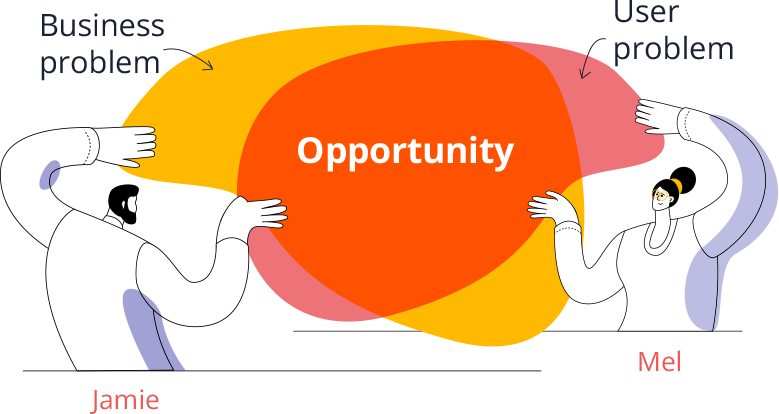
Course creation is complex, time consuming and requires experience and knowledge to create high quality, engaging courses.
Business problem
Neutopia needs to enable learning designers of varying experience levels to efficiently create high-quality, engaging courses in order to support improved retention and build long-term, thriving digital communities for its clients.
Hypothesis 4
By integrating generative AI options into the lesson content creation process, course creators of varying experience levels can choose their level of content creation support, empowering novice learning designers to feel like experts quickly and easily.
Hypothesis 1
If the user’s experience as course creator is captured in their Neutopia profile, that data can inform the level of support they are offered in the course creation process.
Hypotheses
Based on my discussions with users, information gathered about the user base, research into generative AI capabilities and research into what competitors are doing in this space, I developed several hypotheses:
Hypothesis 1
If the user’s experience as course creator is captured in their Neutopia profile, that data can inform the level of support they are offered in the course creation process.
Hypothesis 2
Alongside traditional edit modes, embedding chat-style AI will allow course creators of all experience levels to feel supported through a familiar, low-effort interaction model.
Hypothesis 3
When the course outline is developed first and clearly articulated, it provides a structured framework that enables learning designers to confidently build and populate lesson content.
Hypothesis 4
By integrating generative AI options into the lesson content creation process, course creators of varying experience levels can choose their level of content creation support, empowering novice learning designers to feel like experts quickly and easily.
Hypothesis 2
Alongside traditional edit modes, embedding chat-style AI will allow course creators of all experience levels to feel supported through a familiar, low-effort interaction model.
Hypothesis 3
When the course outline is developed first and clearly articulated, it provides a structured framework that enables learning designers to confidently build and populate lesson content.
Usability testing and insights
Upon creating the optimized new course creation workflow, I needed to validate my hypotheses. I began by mocking up the flow using mid-fidelity wireframes created in Figma. I then wrote a research plan, which involved testing users using a functioning prototype.
After walking through the prototype with various users who had no course creation experience, it became clear that while there were no major stumbling blocks, there was still room for refinement.
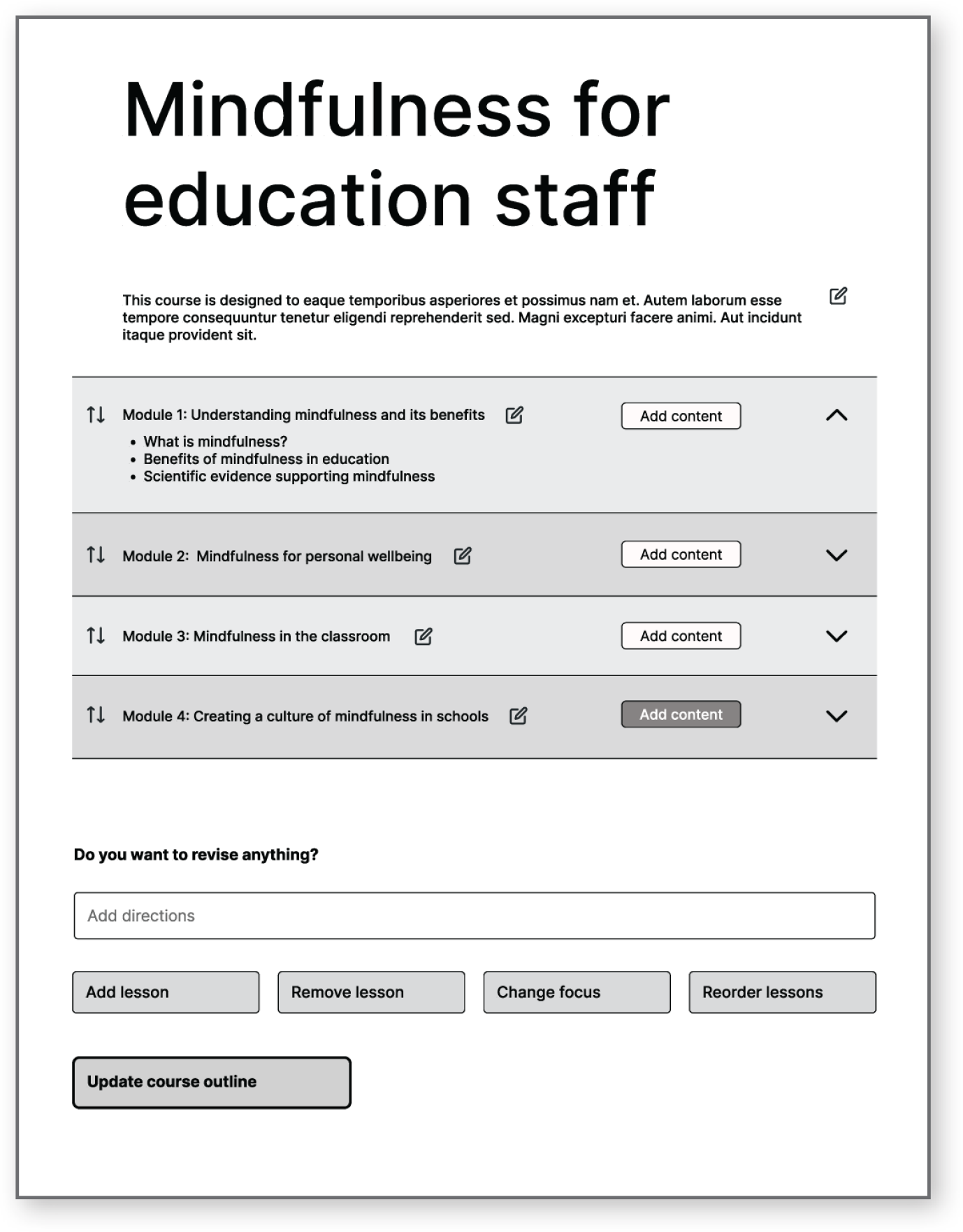
Initial draft course outline page
Insights gained from usability testing
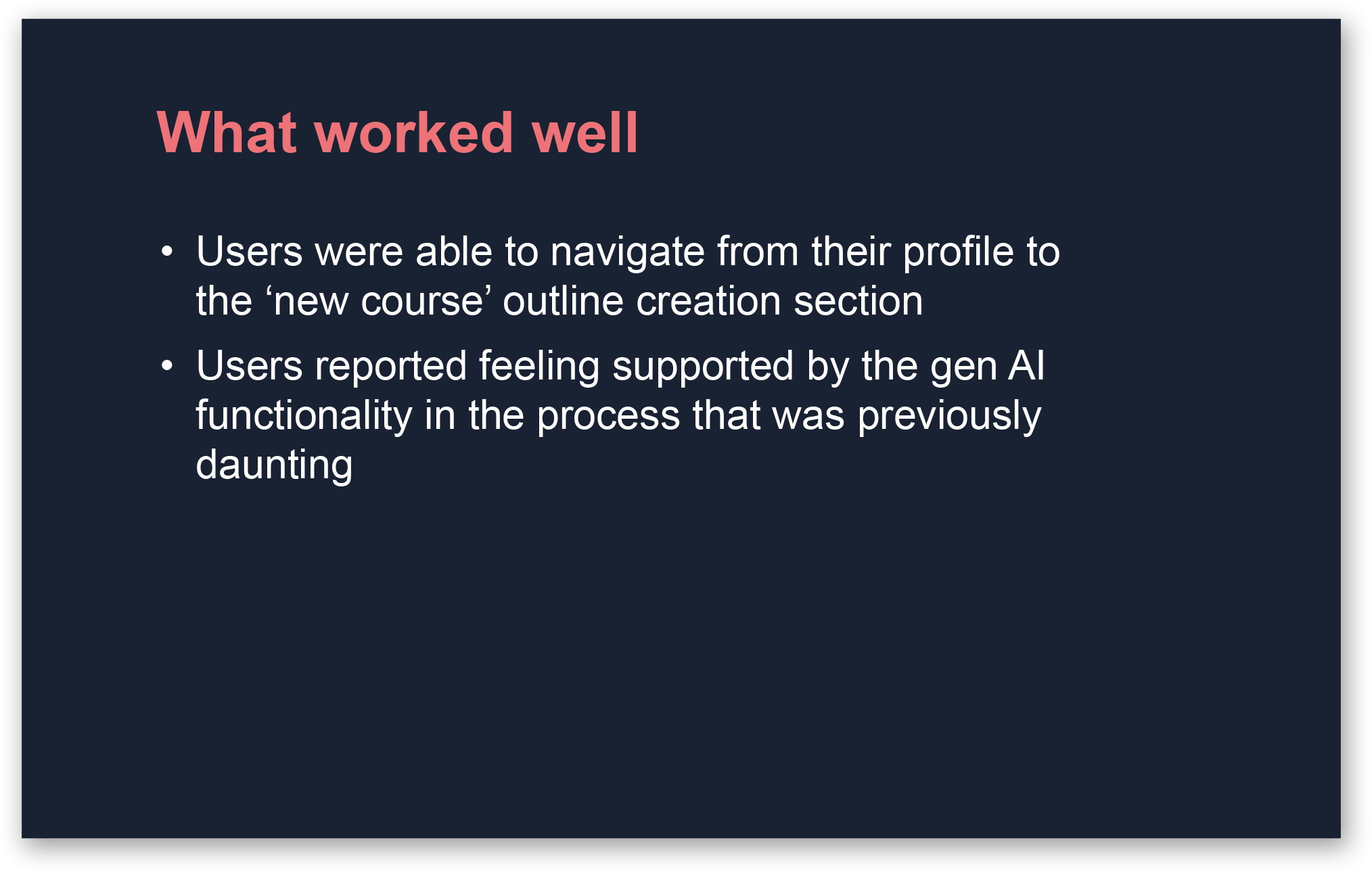
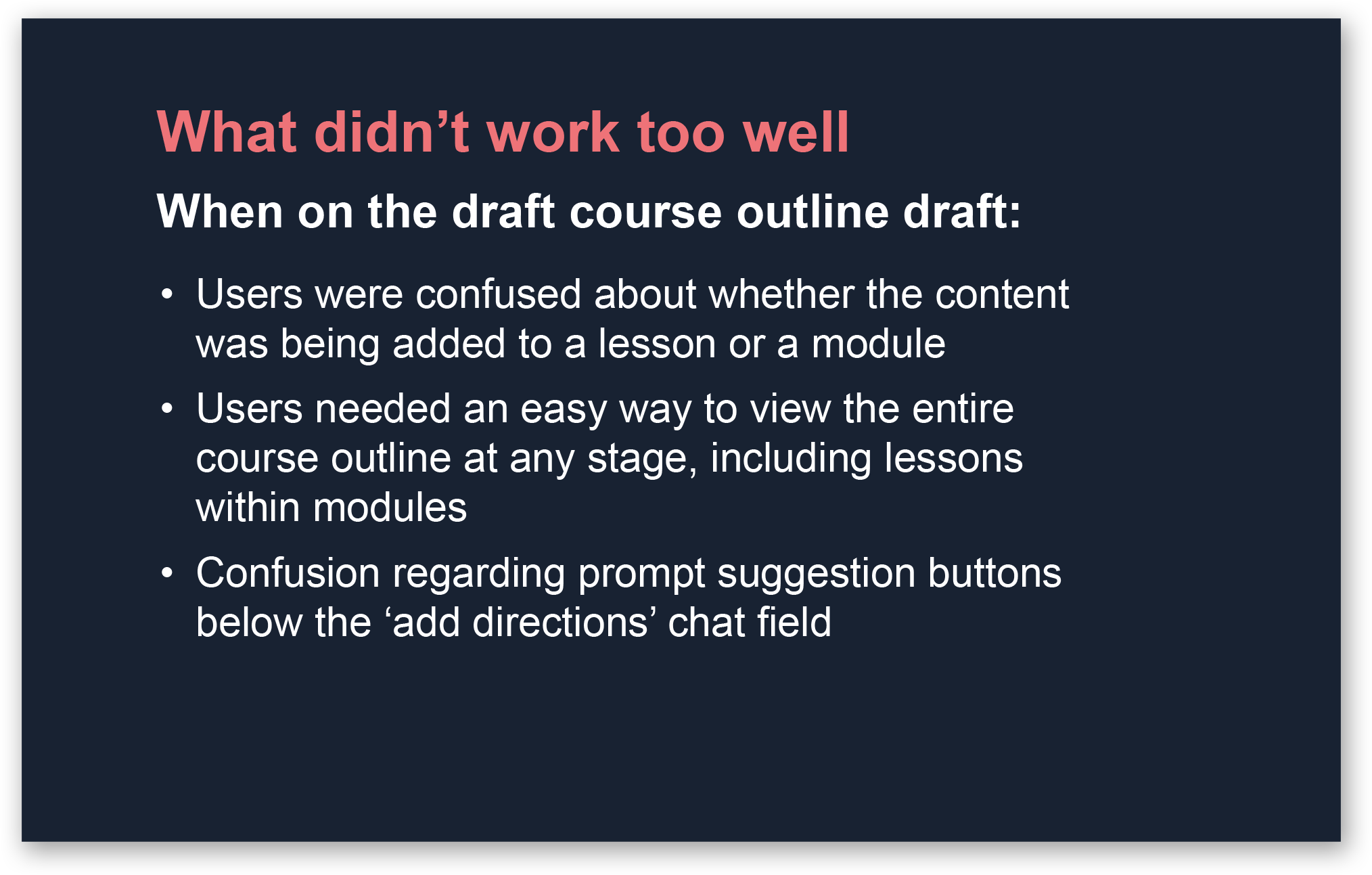
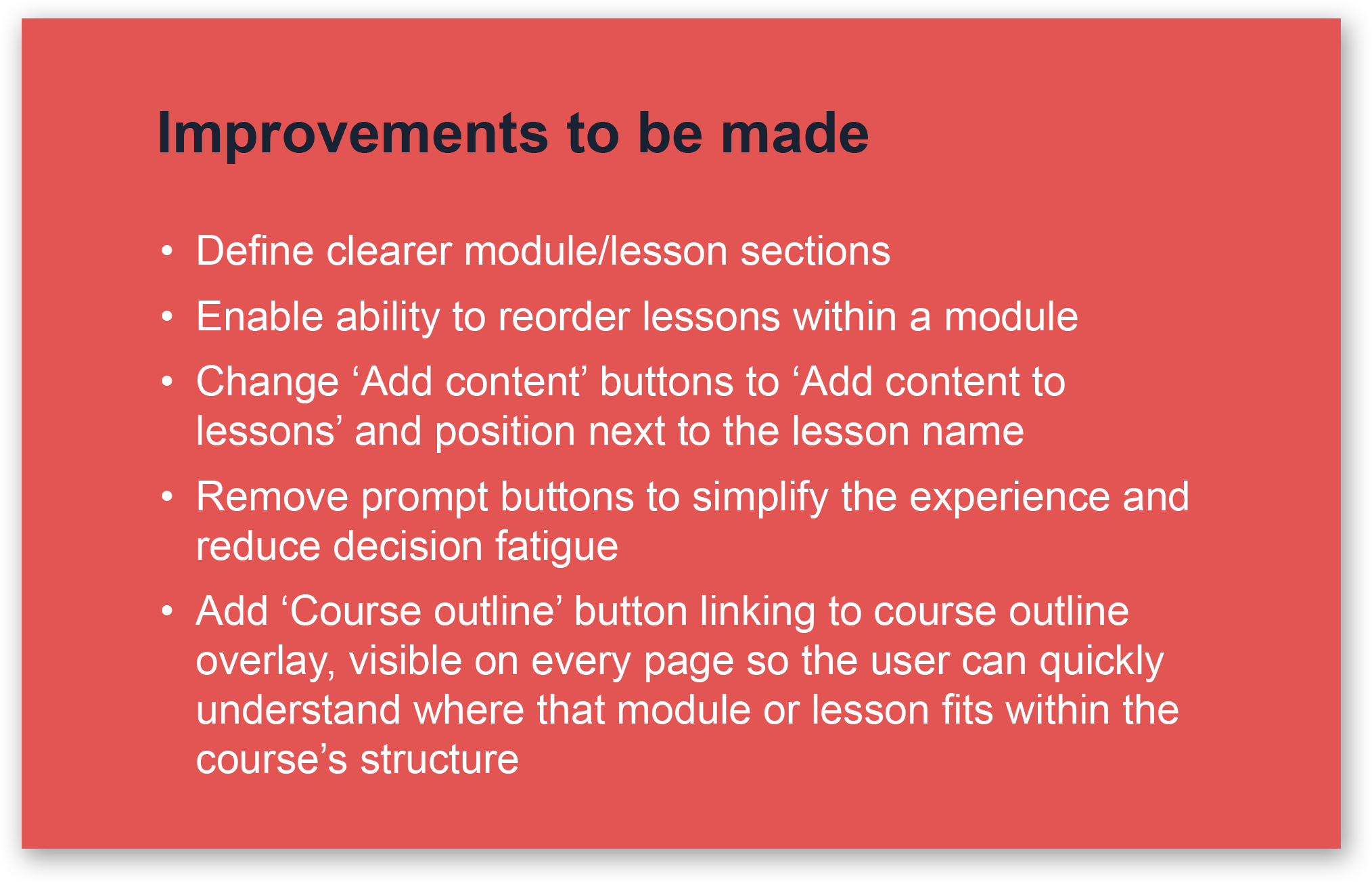
Solutions addressing key user needs
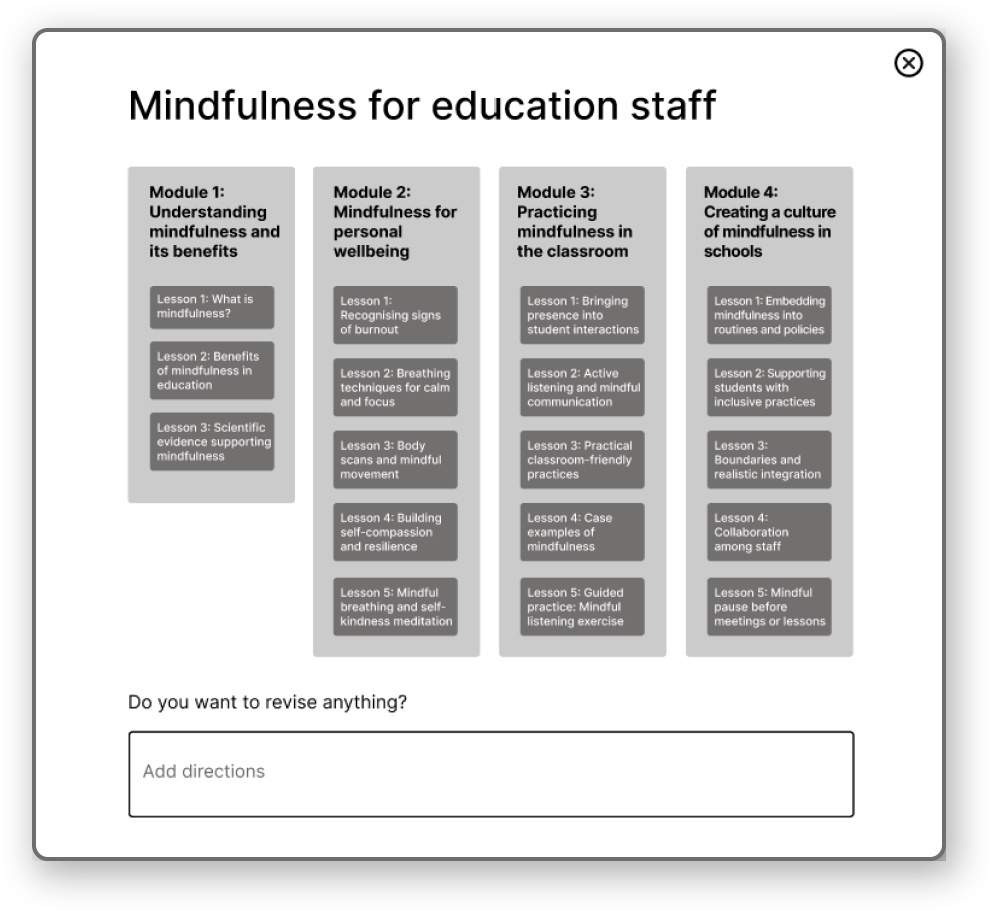
Prioritising effortless course outline creation to reduce complexity for novice designers
Research and journey mapping revealed that defining the course structure was one of the most overwhelming stages of the creation process. To reduce this friction, I integrated a chat-based AI into the course outline flow, supporting course creators of all experience levels through a familiar, low-effort interaction model that captures key inputs. Designers can then continuously refine the outline using chat-style prompts alongside a text editing tool.
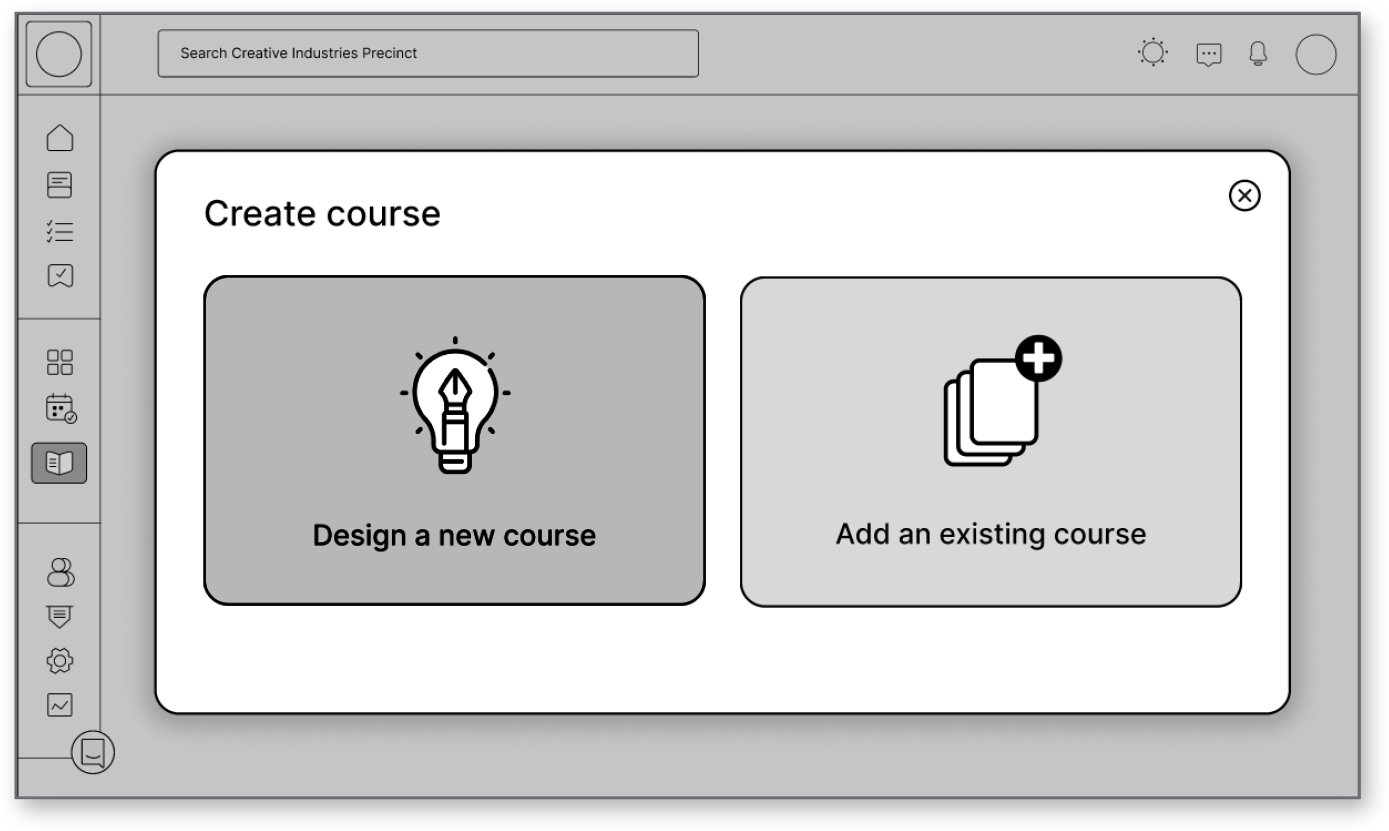
Create new course to course outline generation flow
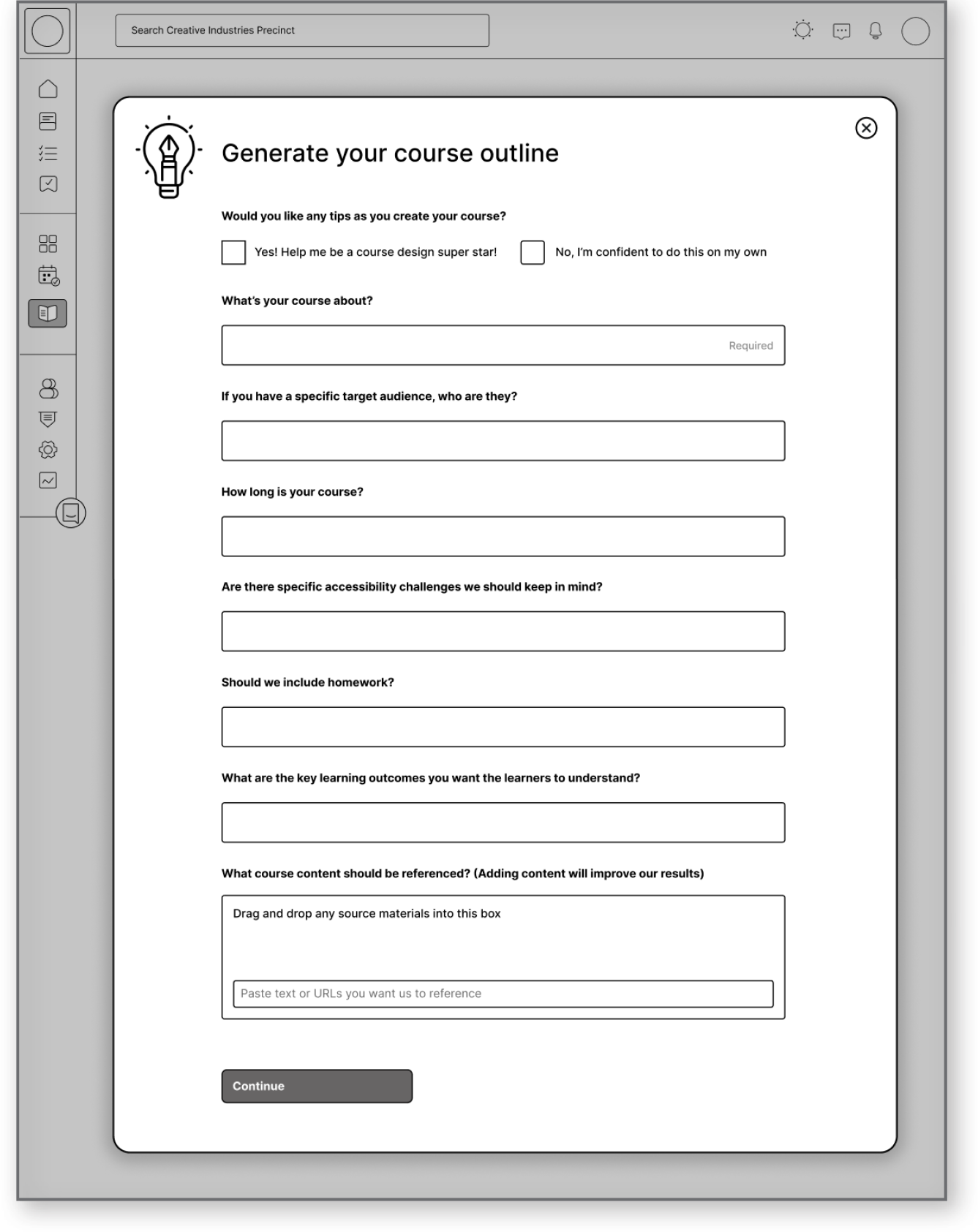
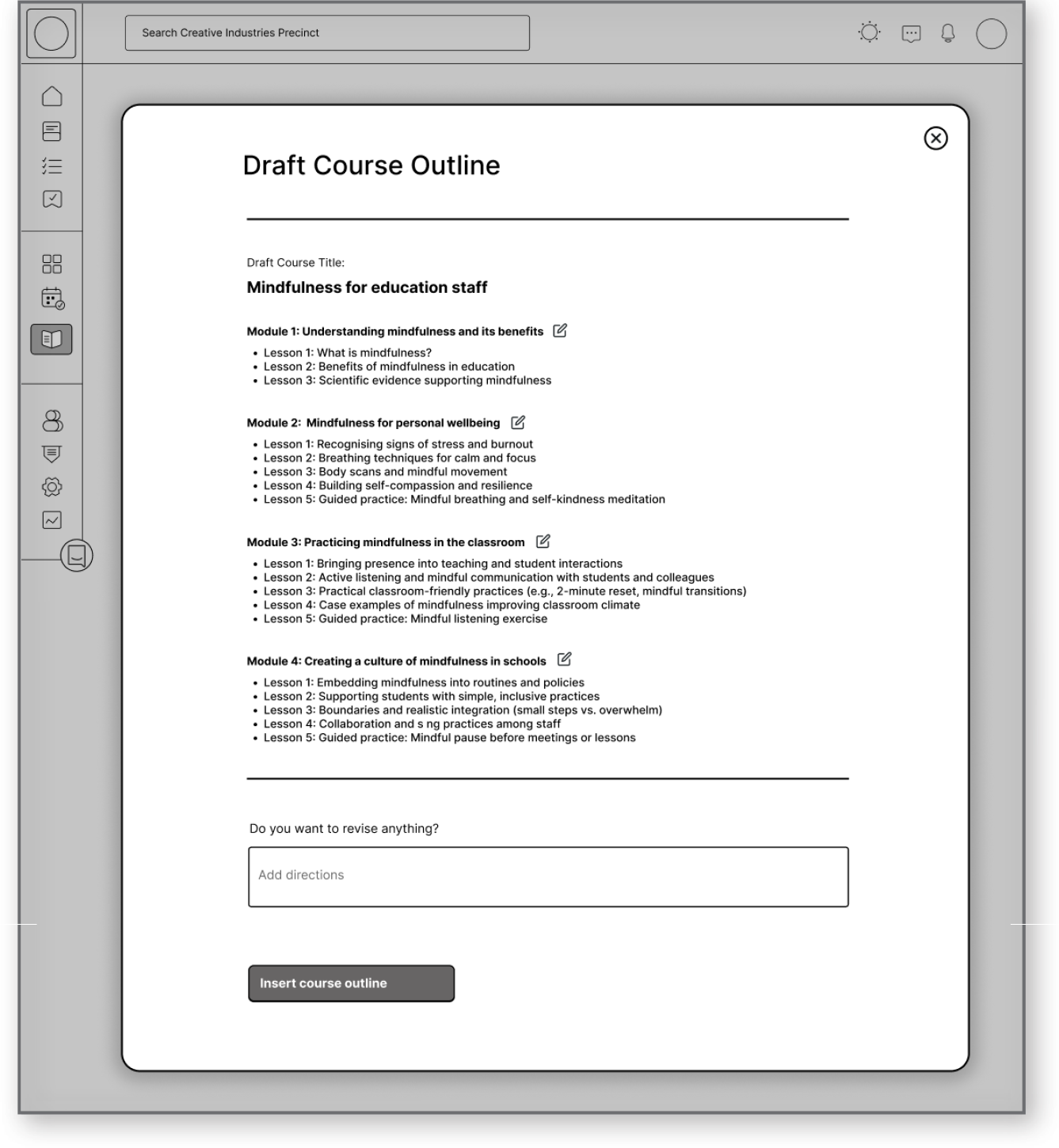
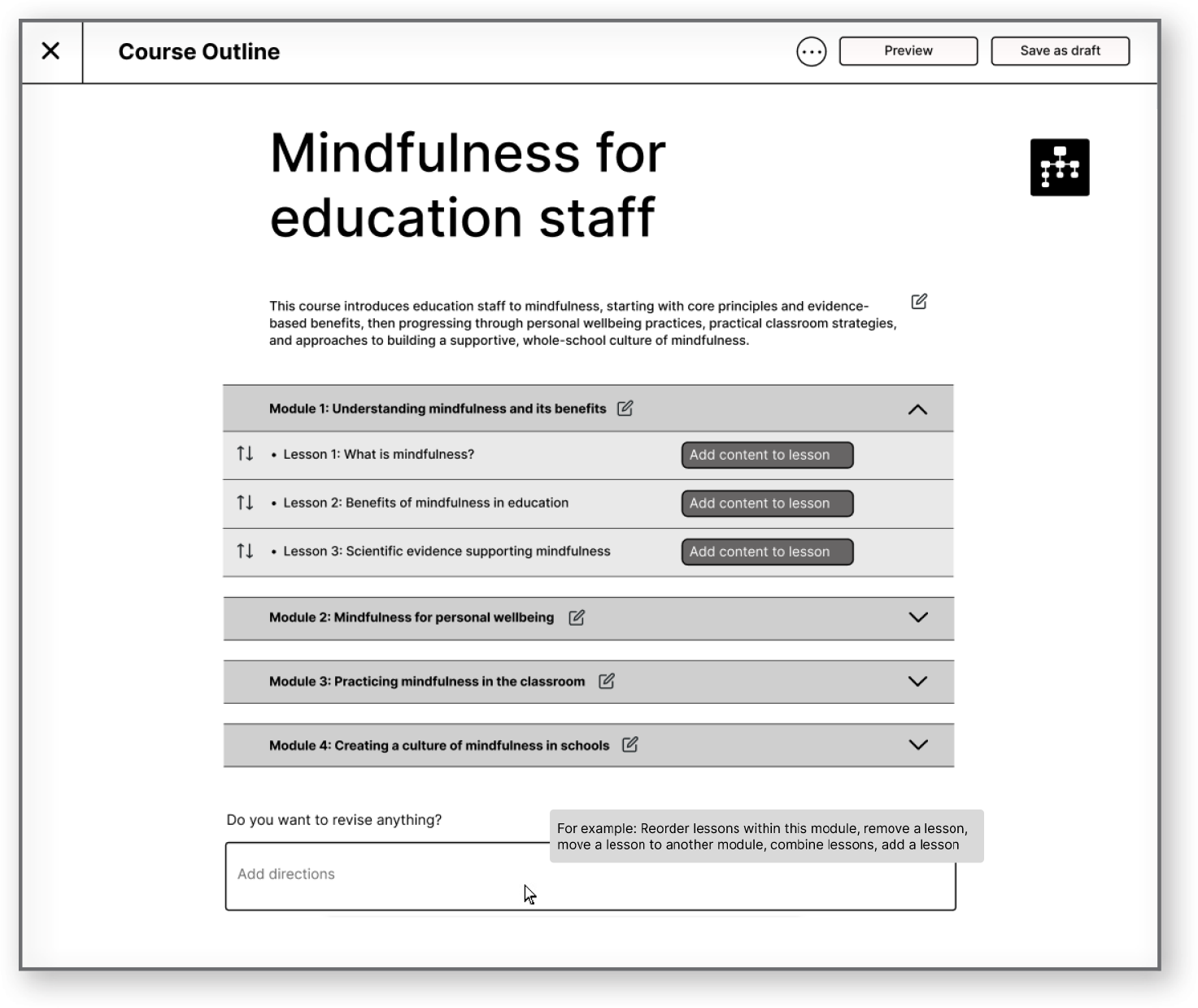
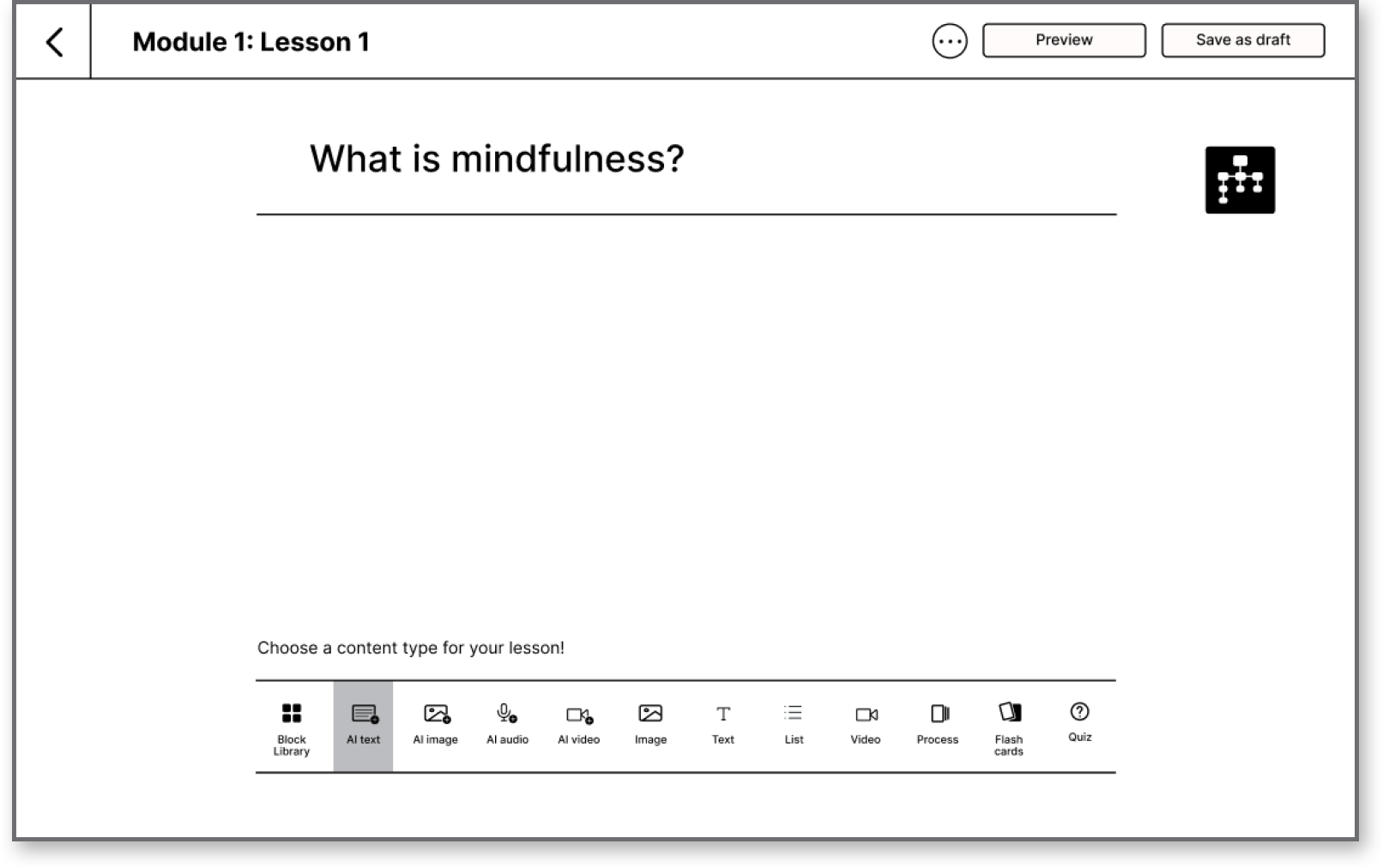
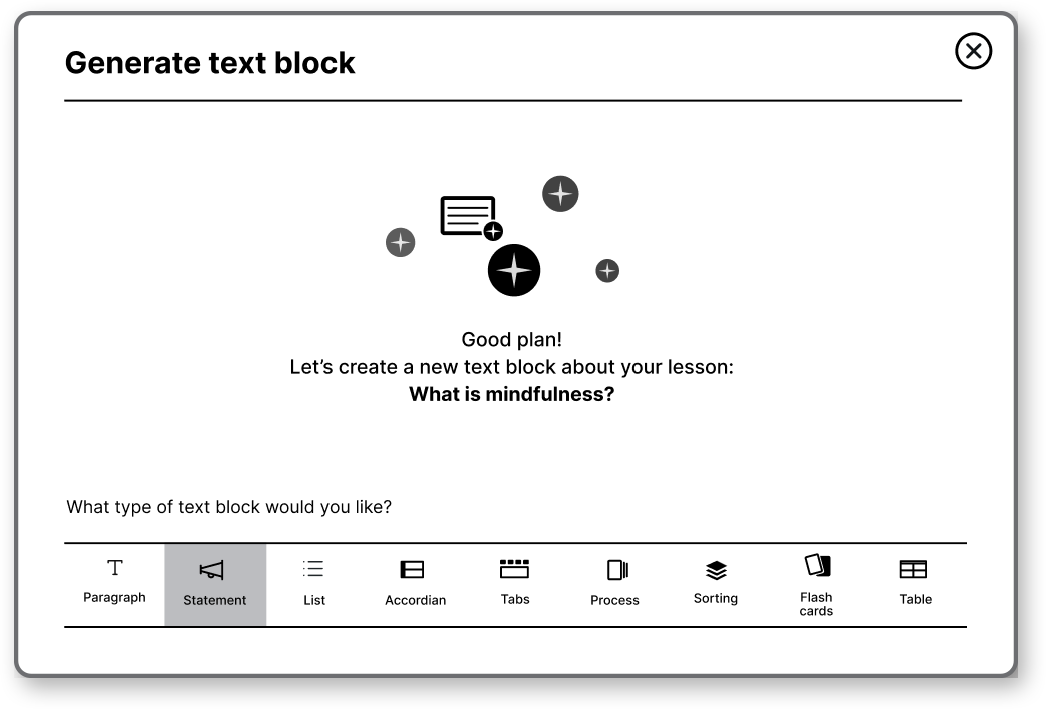
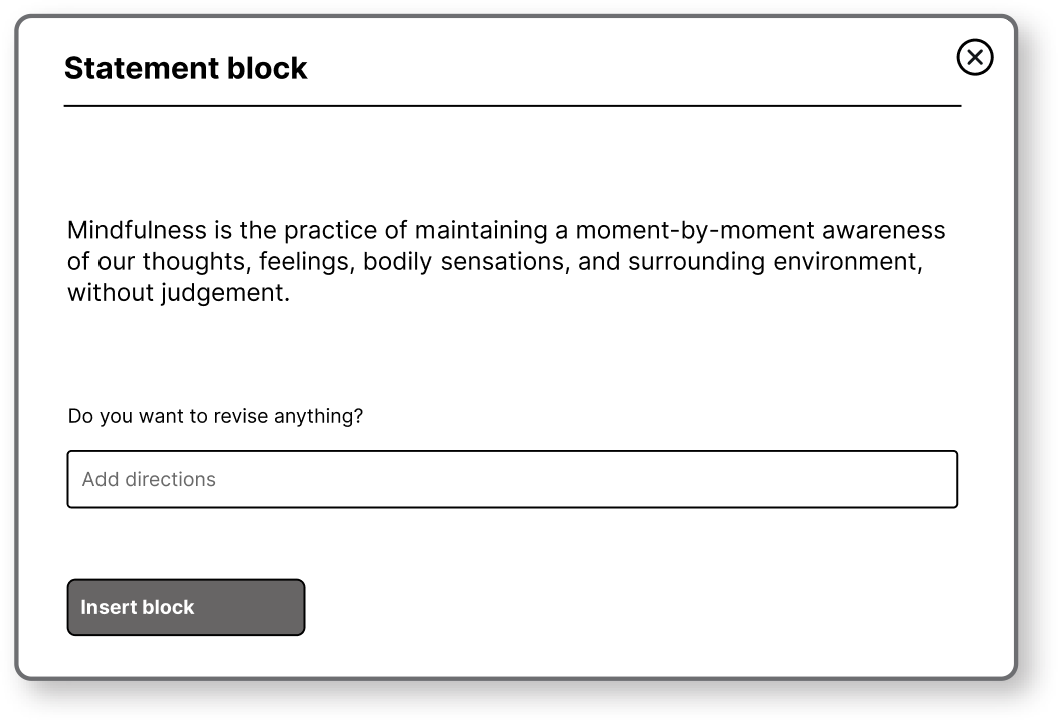
Enabling simple and professional content creation for learning designers of all experience levels
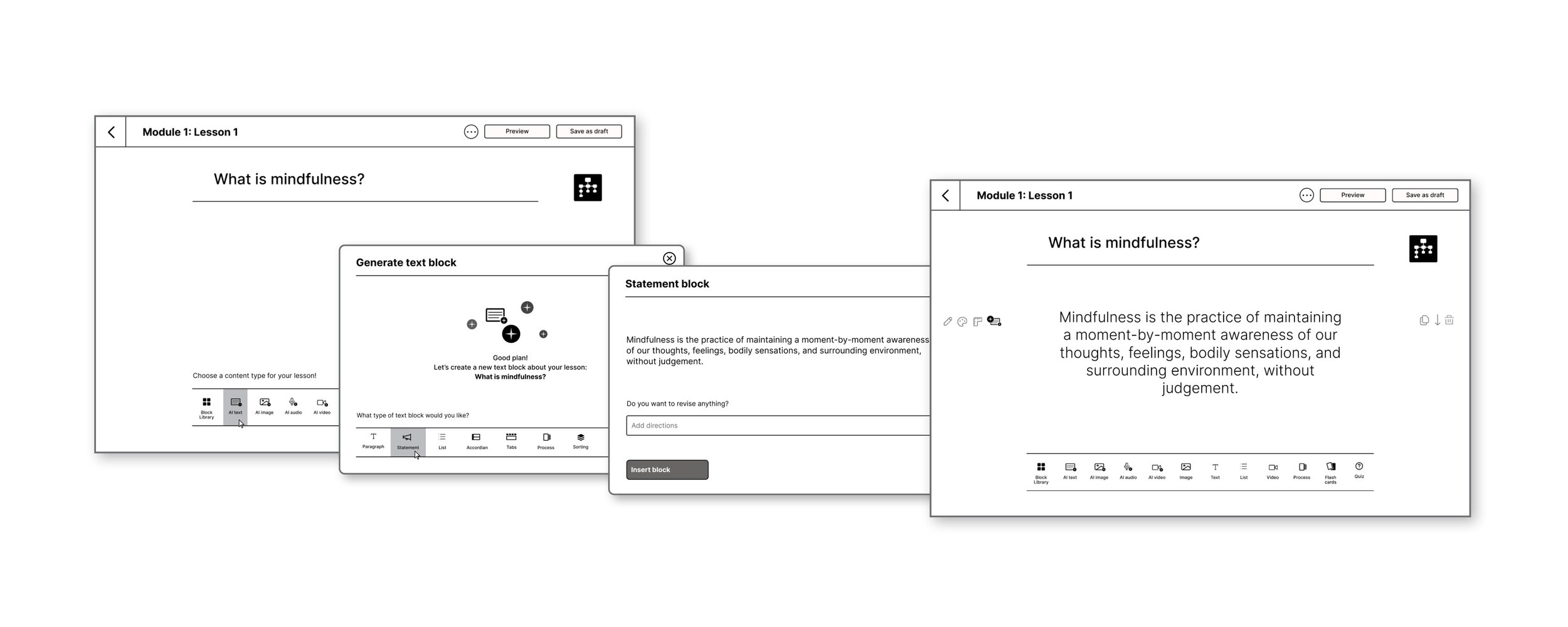
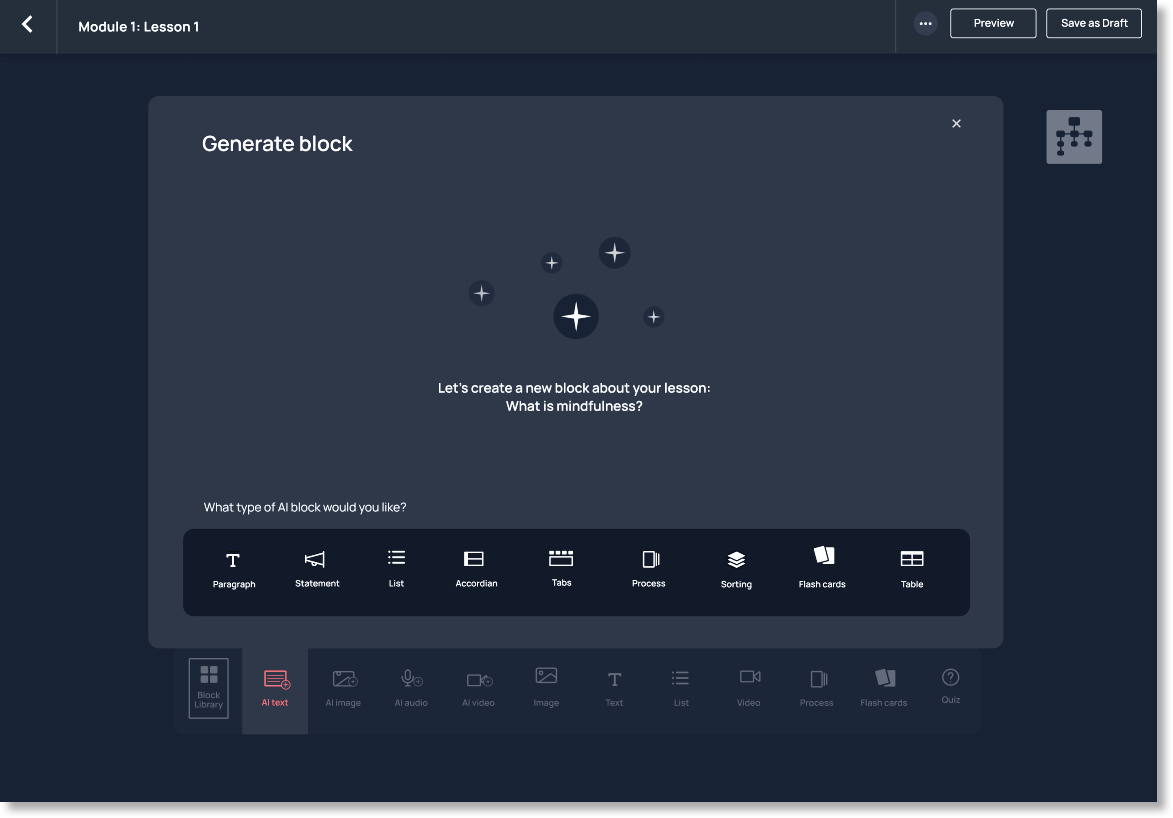
Lesson content is built in blocks, with AI outputs shaped by inputs from the outline stage, including audience and accessibility needs. Clear, icon-based navigation and a clean interface reduce cognitive load and support faster decisions. AI-assisted creation adapts to different experience levels, helping users move from idea to structured content efficiently and with confidence.
Lesson content creation flow
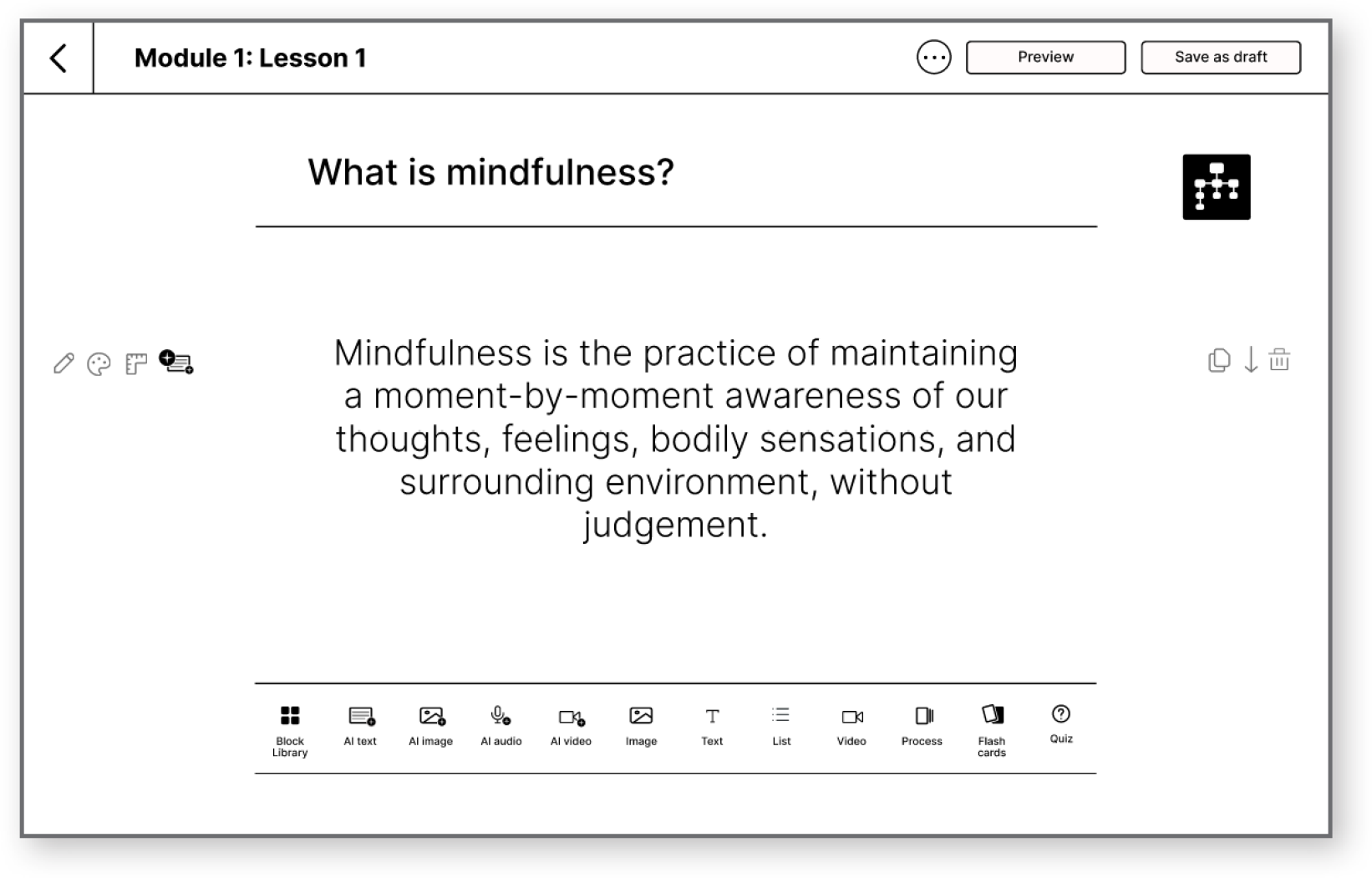
Static high-fidelity mockup
Next steps
To further validate and evolve the concept, the next phase would focus on additional testing and measurement:
Usability testing to assess clarity and ease of the AI-driven flow
Task success and completion time for course outline creation
Measuring user confidence and perceived effort
Iterating on AI interaction patterns to balance guidance and control.
Reflection
Designing this experience reinforced that introducing AI isn’t just a technical decision, it can also be a trust problem. Giving users control, transparency, and flexibility is just as important as the capability itself.